> ## Documentation Index
> Fetch the complete documentation index at: https://dify-6c0370d8-docs-new-agent-experience.mintlify.site/llms.txt
> Use this file to discover all available pages before exploring further.
# Connect to External Knowledge Base
> Integrate external knowledge sources with Dify applications through API connections to leverage custom RAG systems or third-party knowledge services
If your team maintains its own RAG system or hosts content in a third-party knowledge service like [AWS Bedrock](https://aws.amazon.com/bedrock/), you can connect these external sources to Dify instead of migrating content into Dify's built-in knowledge base.
This lets your AI applications retrieve information directly from your existing infrastructure while you retain full control over the retrieval logic and content management.
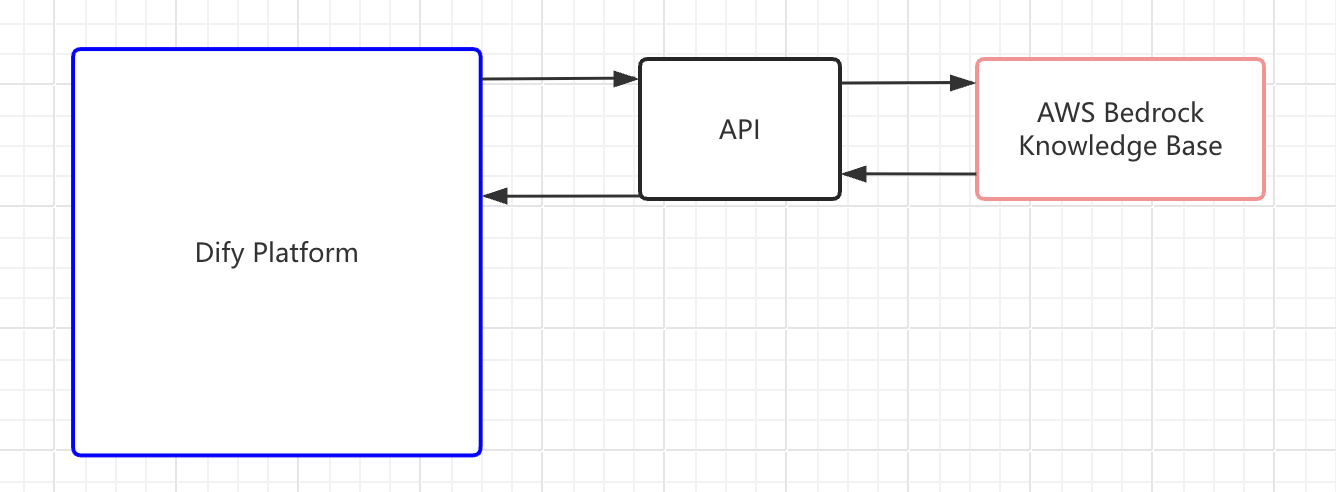
**Connecting an external knowledge base involves three steps**:
1. [Build an API service that Dify can query](#step-1-build-the-retrieval-api).
2. [Register the API endpoint in Dify](#step-2-register-an-external-knowledge-api).
3. [Connect a specific knowledge source through the registered API](#step-3-create-an-external-knowledge-base).
When your application runs, Dify sends retrieval requests to your endpoint and uses the returned chunks as context for LLM responses.
If you're connecting to LlamaCloud, install the [LlamaCloud plugin](https://marketplace.dify.ai/plugin/langgenius/llamacloud) instead of building a custom API. See the [video walkthrough](https://www.youtube.com/watch?v=FaOzKZRS-2E) for a complete setup demo.
If you're building a plugin for another knowledge service, the LlamaCloud plugin's [source code](https://github.com/langgenius/dify-official-plugins/tree/main/extensions/llamacloud) is available for reference.
Dify only has retrieval access to external knowledge bases. It cannot modify or manage your external content. You maintain the knowledge base and its retrieval logic independently.
## Step 1: Build the Retrieval API
Build an API service that implements the [External Knowledge API specification](/en/cloud/use-dify/knowledge/external-knowledge-api). Your service needs a single `POST` endpoint that accepts a search query and returns matching text chunks with similarity scores.
## Step 2: Register an External Knowledge API
An External Knowledge API stores your endpoint URL and authentication credentials. Multiple knowledge bases can share one API connection.
1. Go to **Knowledge**, click **External Knowledge API** in the upper-right corner, then click **Add an External Knowledge API**.
2. Fill in the following fields:
* **Name**: A label to distinguish this API connection from others.
* **API Endpoint**: The base URL of your external knowledge service. Dify appends `/retrieval` automatically when sending requests.
* **API Key**: The authentication credential for your service. Dify sends this as a Bearer token in the `Authorization` header.
Dify validates the connection by sending a test request to your endpoint when you save.
## Step 3: Create an External Knowledge Base
With the API registered, connect an external knowledge source to Dify. This creates a knowledge base in Dify that is linked to your external system.
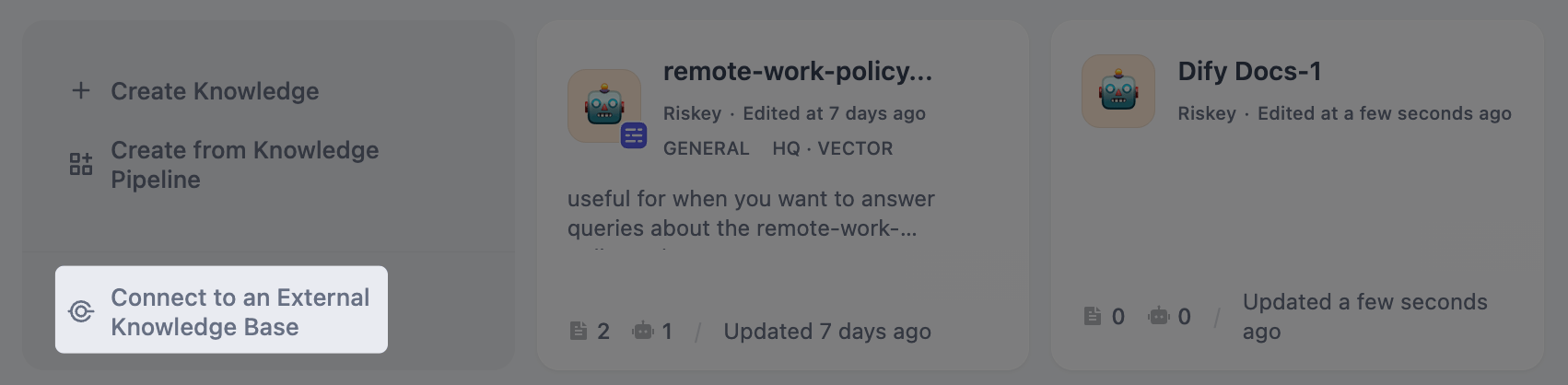
1. Go to **Knowledge** and click **Connect to an External Knowledge Base**.
 2. Fill in the following fields:
* **External Knowledge Name** and **Knowledge Description** (optional).
* **External Knowledge API**: Select the API connection you registered.
* **External Knowledge ID**: The identifier of the specific knowledge source within your external system, passed to your API as the `knowledge_id` field.
This is whatever ID your external service uses to distinguish between different knowledge bases. For example, a Bedrock knowledge base ARN or an ID you defined in your own system.
The **External Knowledge API** and **External Knowledge ID** cannot be changed after creation. To use a different API or knowledge source, create a new external knowledge base.
* **Retrieval Settings**:
* **Top K**: Maximum number of chunks to retrieve per query. Higher values return more results but may include less relevant content.
* **Score Threshold**: Minimum similarity score for returned chunks. Enable this to filter out low-relevance results. Use higher value for stricter relevance or lower value to include broader matches.
When disabled, all results up to the Top K limit are returned regardless of score.
Once created, the external knowledge base is available for use in your applications just like any built-in knowledge base. See [Integrate Knowledge Within Application](/en/cloud/use-dify/knowledge/integrate-knowledge-within-application) for details.
## Troubleshoot
### API Response Format Issues
If retrieval fails or returns unexpected results, verify your API response against the [External Knowledge API specification](/en/cloud/use-dify/knowledge/external-knowledge-api#response).
Common issues:
* The `metadata` field in each record must be an object (`{}`), not `null`. A `null` value causes errors in the retrieval pipeline.
* The `content` and `score` fields must be present in every record.
2. Fill in the following fields:
* **External Knowledge Name** and **Knowledge Description** (optional).
* **External Knowledge API**: Select the API connection you registered.
* **External Knowledge ID**: The identifier of the specific knowledge source within your external system, passed to your API as the `knowledge_id` field.
This is whatever ID your external service uses to distinguish between different knowledge bases. For example, a Bedrock knowledge base ARN or an ID you defined in your own system.
The **External Knowledge API** and **External Knowledge ID** cannot be changed after creation. To use a different API or knowledge source, create a new external knowledge base.
* **Retrieval Settings**:
* **Top K**: Maximum number of chunks to retrieve per query. Higher values return more results but may include less relevant content.
* **Score Threshold**: Minimum similarity score for returned chunks. Enable this to filter out low-relevance results. Use higher value for stricter relevance or lower value to include broader matches.
When disabled, all results up to the Top K limit are returned regardless of score.
Once created, the external knowledge base is available for use in your applications just like any built-in knowledge base. See [Integrate Knowledge Within Application](/en/cloud/use-dify/knowledge/integrate-knowledge-within-application) for details.
## Troubleshoot
### API Response Format Issues
If retrieval fails or returns unexpected results, verify your API response against the [External Knowledge API specification](/en/cloud/use-dify/knowledge/external-knowledge-api#response).
Common issues:
* The `metadata` field in each record must be an object (`{}`), not `null`. A `null` value causes errors in the retrieval pipeline.
* The `content` and `score` fields must be present in every record.