> ## Documentation Index
> Fetch the complete documentation index at: https://dify-6c0370d8-docs-new-agent-experience.mintlify.site/llms.txt
> Use this file to discover all available pages before exploring further.

# 步骤四：上传文件

> 本文档由 AI 自动翻译。如有任何不准确之处，请参考 [英文原版](/en/cloud/use-dify/knowledge/knowledge-pipeline/upload-files)。

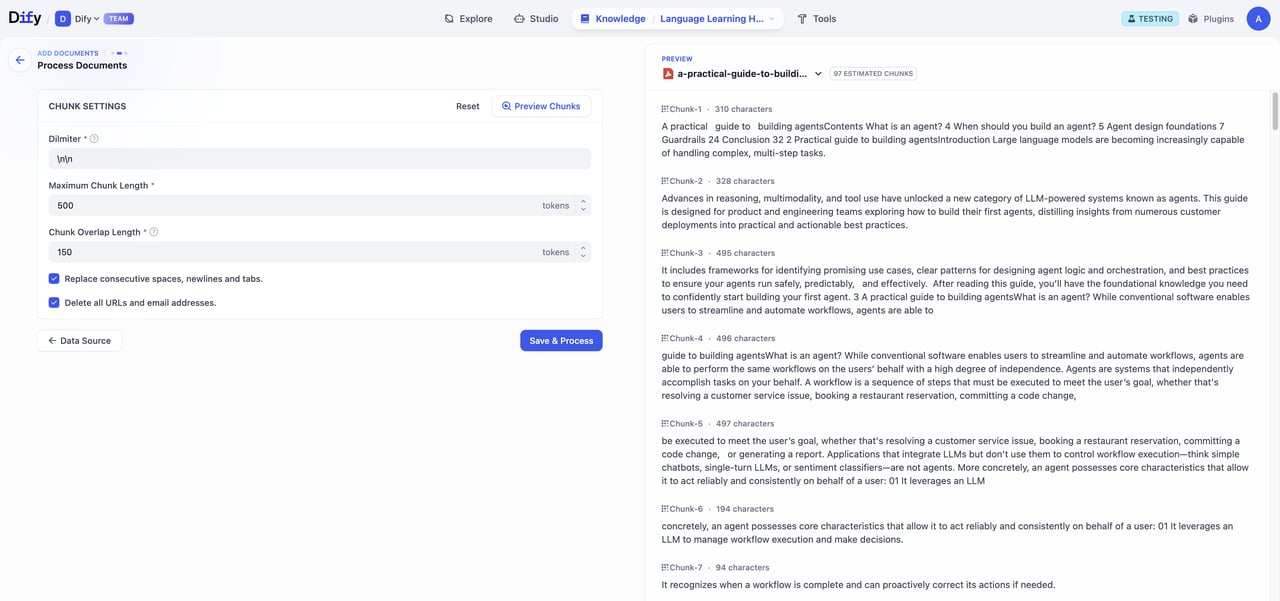
完成知识流水线的编排、调试并发布成功后，你能通过以下两种方式上传文件：

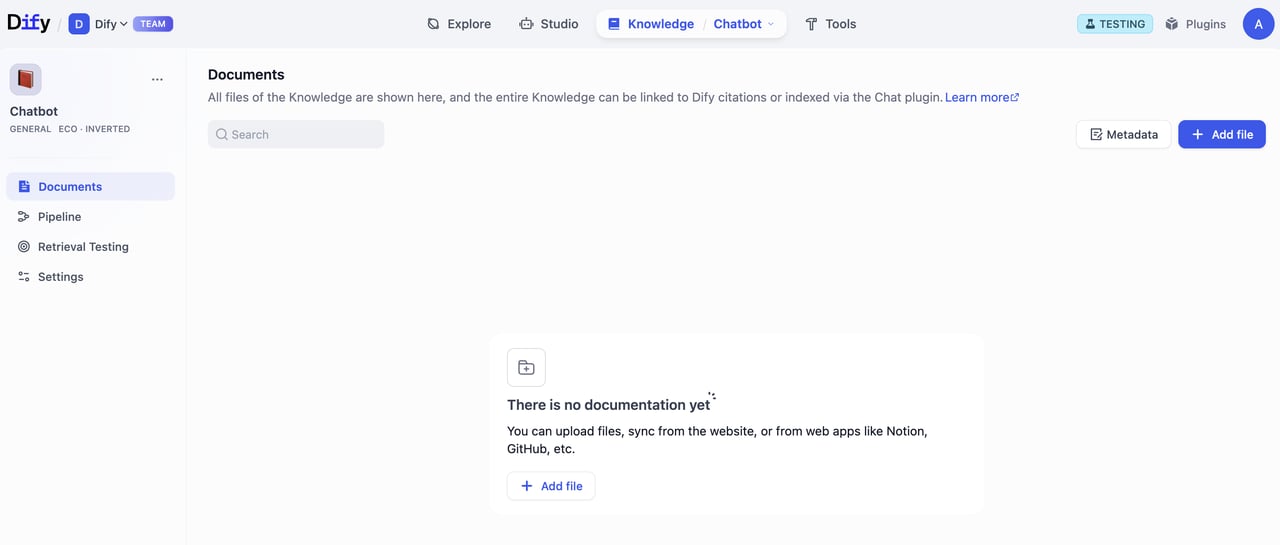
A. 在发布成功的弹窗哪点击前往文档。进入文档页面后，点击添加文件进行上传。

<div style={{display: 'flex', flexWrap: 'wrap', gap: '30px'}}>
  <div style={{flex: 1, minWidth: '200px'}}>
    <Frame>
      <img src="https://mintcdn.com/dify-6c0370d8-docs-new-agent-experience/KTjMDbgg3Xu7ai2T/images/use-dify/knowledge/create-knowledge-pipeline-14.png?fit=max&auto=format&n=KTjMDbgg3Xu7ai2T&q=85&s=807a69cb444fc9f42a4a618a8b896626" alt="方式A-1" width="1093" height="793" data-path="images/use-dify/knowledge/create-knowledge-pipeline-14.png" />
    </Frame>
  </div>

  <div style={{flex: 2, minWidth: '300px'}}>
    <Frame>
      <img src="https://mintcdn.com/dify-6c0370d8-docs-new-agent-experience/KTjMDbgg3Xu7ai2T/images/use-dify/knowledge/create-knowledge-pipeline-15.png?fit=max&auto=format&n=KTjMDbgg3Xu7ai2T&q=85&s=43da5538c2889072a0999221b05313a7" alt="方式A-2" width="1280" height="545" data-path="images/use-dify/knowledge/create-knowledge-pipeline-15.png" />
    </Frame>
  </div>
</div>

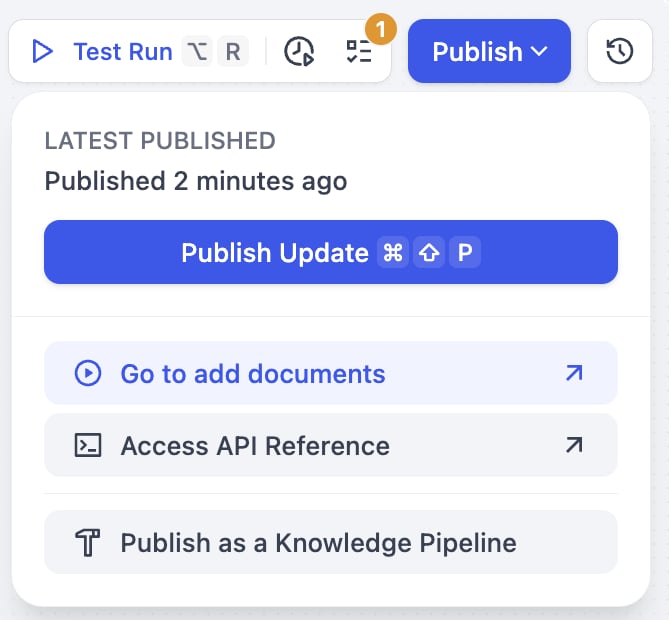
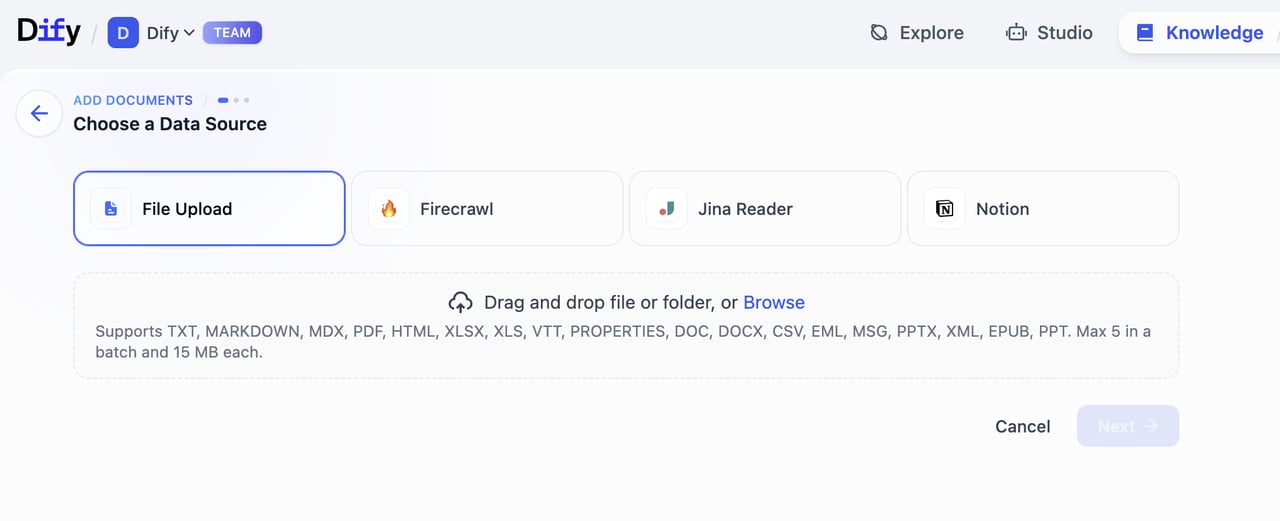
B. 在发布的下拉菜单中，点击去添加文档。进入选择数据源页面，选择对应数据源开始上传文件。

<div style={{display: 'flex', flexWrap: 'wrap', gap: '30px'}}>
  <div style={{flex: 1, minWidth: '200px'}}>
    <Frame>
      <img src="https://mintcdn.com/dify-6c0370d8-docs-new-agent-experience/KTjMDbgg3Xu7ai2T/images/use-dify/knowledge/create-knowledge-pipeline-16.png?fit=max&auto=format&n=KTjMDbgg3Xu7ai2T&q=85&s=04ff6683b60a3b5098cb33138e45c316" alt="方式B-1" width="669" height="620" data-path="images/use-dify/knowledge/create-knowledge-pipeline-16.png" />
    </Frame>
  </div>

  <div style={{flex: 2, minWidth: '300px'}}>
    <Frame>
      <img src="https://mintcdn.com/dify-6c0370d8-docs-new-agent-experience/KTjMDbgg3Xu7ai2T/images/use-dify/knowledge/create-knowledge-pipeline-17.png?fit=max&auto=format&n=KTjMDbgg3Xu7ai2T&q=85&s=5f4ec25337b78feb10b0162d35f93225" alt="方式B-2" width="1280" height="521" data-path="images/use-dify/knowledge/create-knowledge-pipeline-17.png" />
    </Frame>
  </div>
</div>

### 上传流程

1. **选择数据源**\
   从流水线配置的数据源类型中进行选择。目前，Dify 支持 4 种数据源
   **文件上传（pdf, docx 等）、在线网盘（Google Drive, OneDrive 等）、在线文档（Notion) 和 网页爬虫（Jina Reader 和 Firecrawl）。**
   请前往 [Dify Marketplace](https://marketplace.dify.ai/) 获取更多数据源支持。

2. **填写文件处理相关参数和变量**\
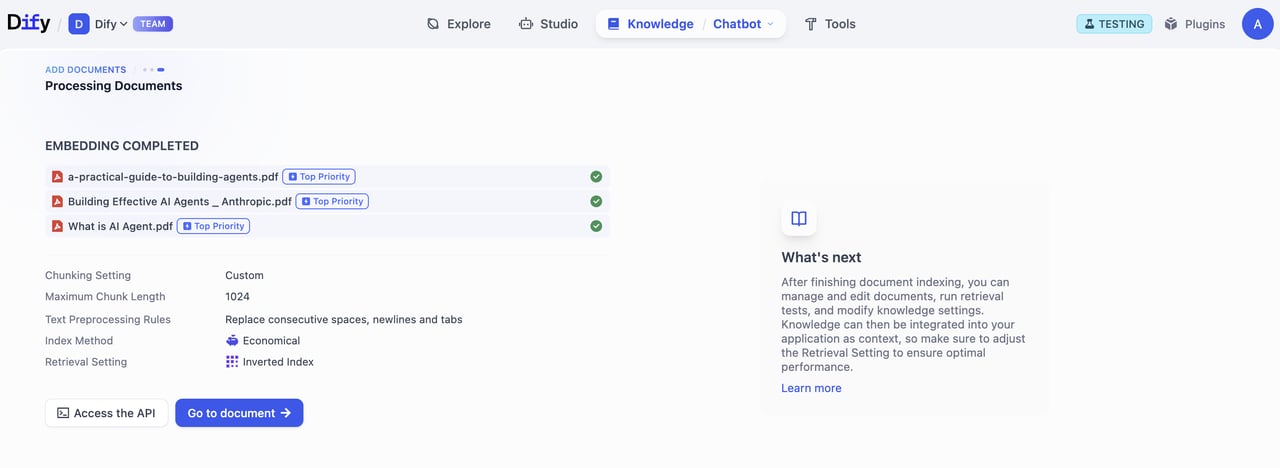
   如果你在知识流水线的编排过程中配置了用户输入字段，需要在这一步填写所需的参数和变量。完成填写后，点击 **预览分段** 可进行预览。\
   点击保存并处理完成知识库创建，进入数据处理阶段。

   <Warning>
     注意：分段结构与知识流水线内保持一致，不会因用户输入的文件处理参数和变量而改变。
   </Warning>

   <Frame>
     <img src="https://mintcdn.com/dify-6c0370d8-docs-new-agent-experience/KTjMDbgg3Xu7ai2T/images/use-dify/knowledge/create-knowledge-pipeline-18.png?fit=max&auto=format&n=KTjMDbgg3Xu7ai2T&q=85&s=130a5903784b45f39e9ce5cd781fdb27" alt="参数填写" width="1280" height="601" data-path="images/use-dify/knowledge/create-knowledge-pipeline-18.png" />
   </Frame>

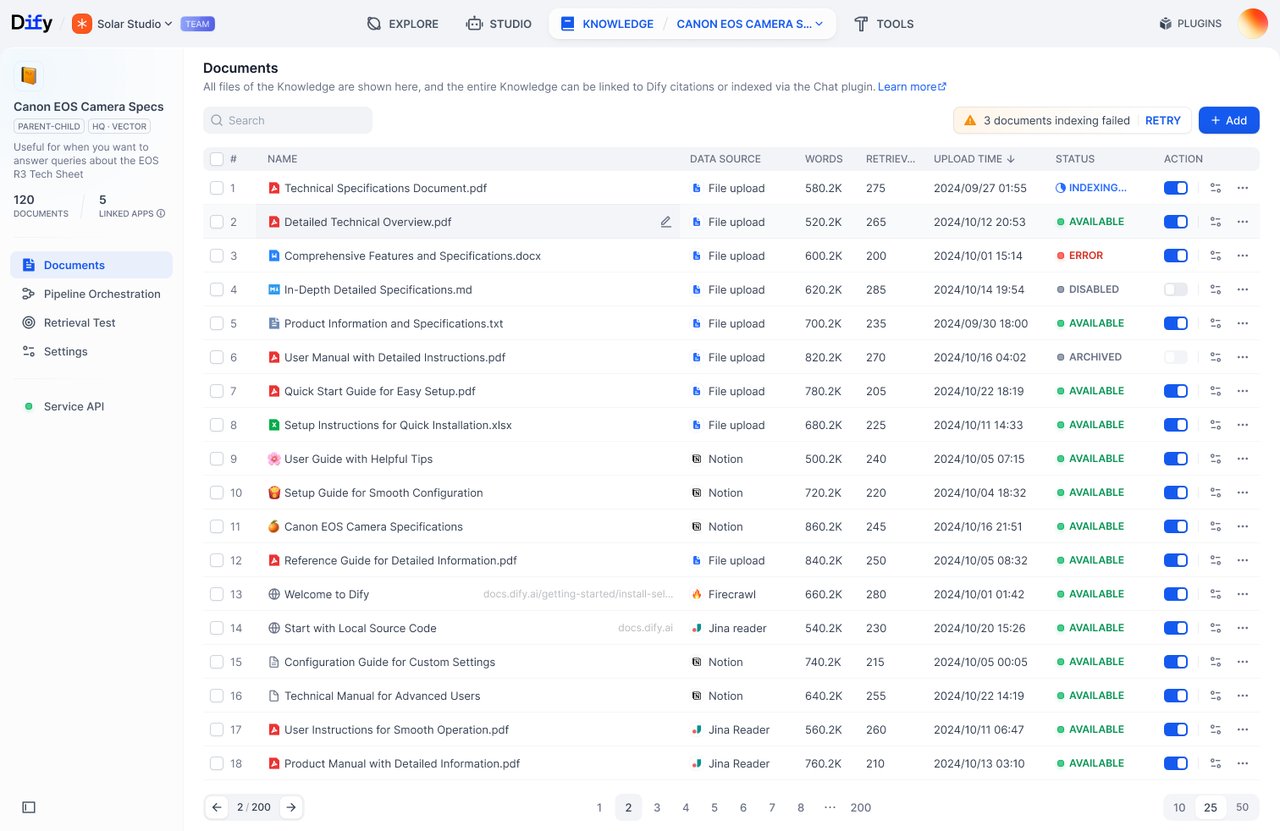
3. **文档处理**\
   跟踪文档处理的进度。嵌入完成后，点击 **前往文档**。

   <Frame>
     <img src="https://mintcdn.com/dify-6c0370d8-docs-new-agent-experience/KTjMDbgg3Xu7ai2T/images/use-dify/knowledge/create-knowledge-pipeline-19.png?fit=max&auto=format&n=KTjMDbgg3Xu7ai2T&q=85&s=b3e12e9675e38be300b164274ec2afab" alt="处理进度" width="1280" height="468" data-path="images/use-dify/knowledge/create-knowledge-pipeline-19.png" />
   </Frame>

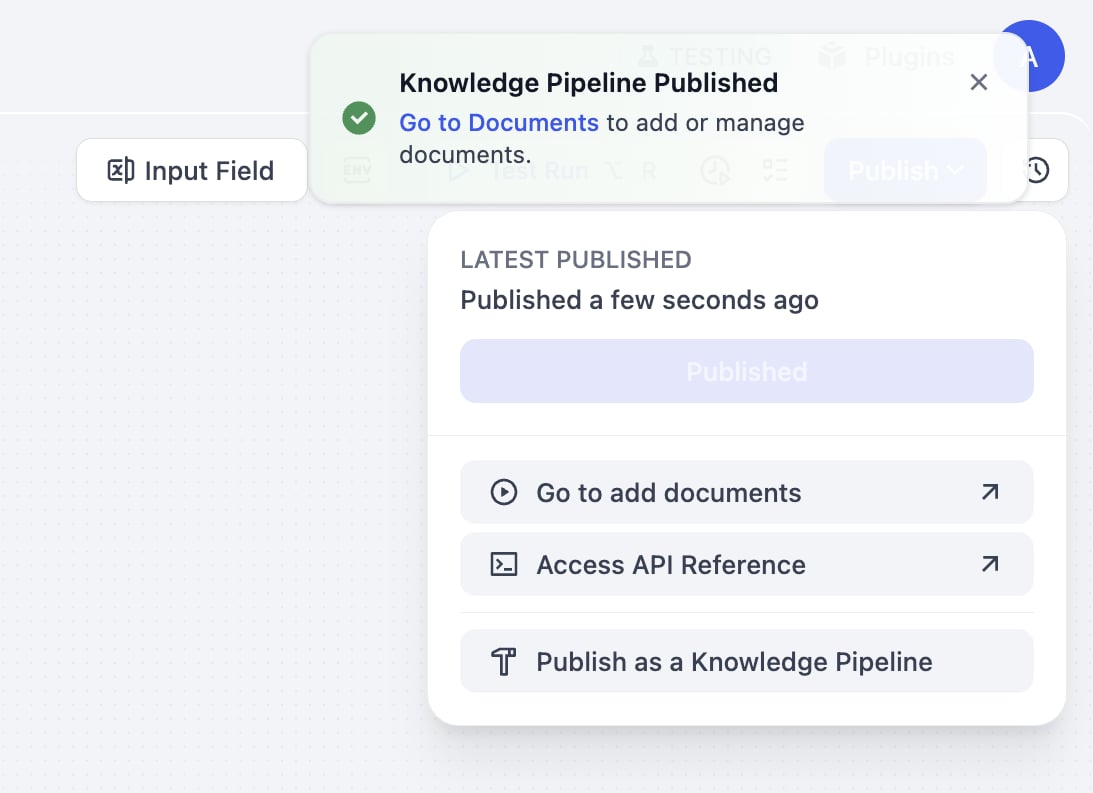
4. **查看文件列表**\
   点击 **前往文档**，前往知识库文档界面。在这里，你可以浏览上传文件数量、处理进程和状态等。

   <Frame>
     <img src="https://mintcdn.com/dify-6c0370d8-docs-new-agent-experience/KTjMDbgg3Xu7ai2T/images/use-dify/knowledge/create-knowledge-pipeline-20.png?fit=max&auto=format&n=KTjMDbgg3Xu7ai2T&q=85&s=3167bb355572ff0c3dc6bcefaf8963ed" alt="文档列表" width="1280" height="831" data-path="images/use-dify/knowledge/create-knowledge-pipeline-20.png" />
   </Frame>