

Group Definition
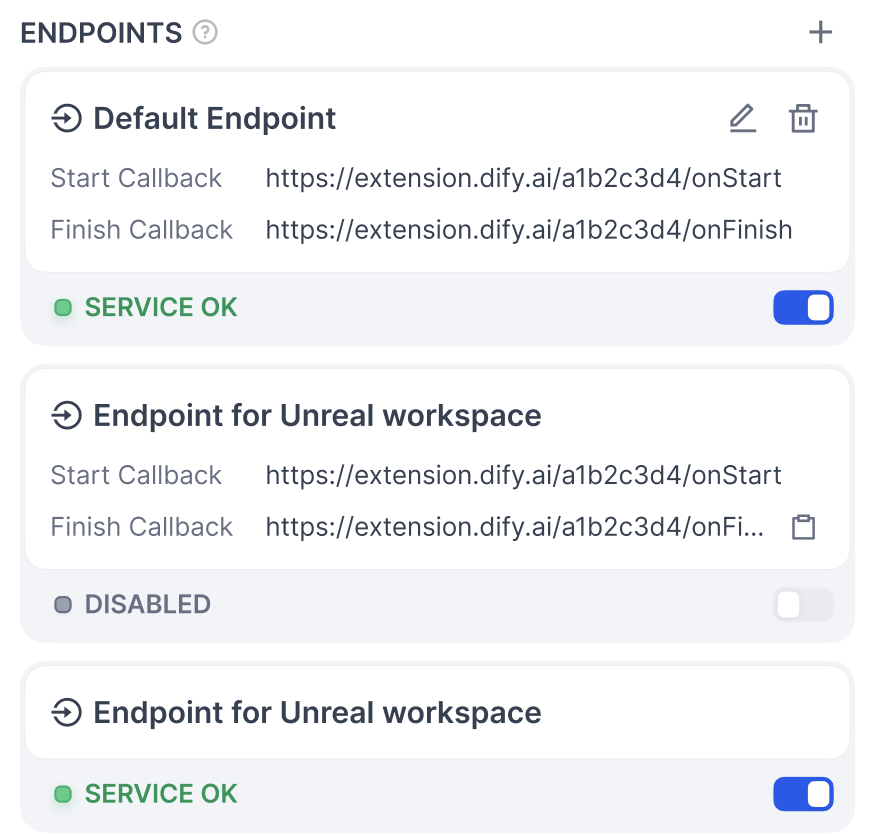
An Endpoint group is a collection of multiple Endpoints. When you create a new Endpoint in a Dify plugin, you may need to fill in the following configuration.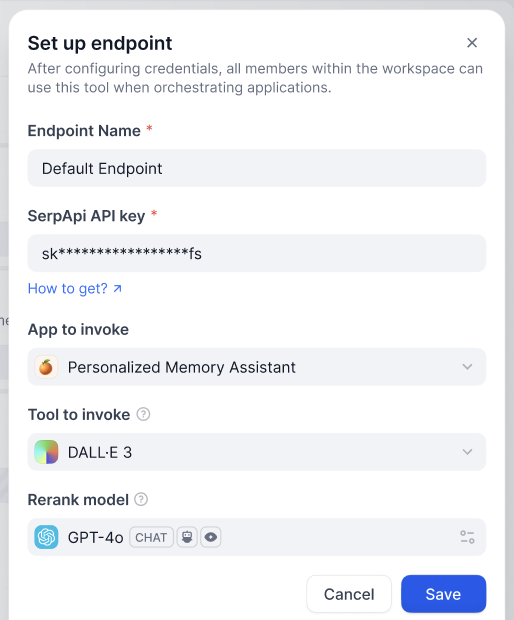
Structure
settings(map[string] ProviderConfig): Endpoint configuration definition.endpoints(list[string], required): Points to the specificendpointinterface definitions.
Interface Definition
path(string): Follows the Werkzeug interface standard.method(string): Interface method; supports onlyHEAD,GET,POST,PUT,DELETE, andOPTIONS.extra(object): Configuration information beyond the basic details.python(object)source(string): The source code that implements this interface.
Interface Implementation
Implement a subclass ofdify_plugin.Endpoint and its _invoke method.
- Input parameters
r(Request): TheRequestobject fromwerkzeug.values(Mapping): Path parameters parsed from the path.settings(Mapping): Configuration information for this Endpoint.
- Return
- A
Responseobject fromwerkzeug; streaming responses are supported. - Returning a string directly is not supported.
- A
Notes
- Endpoints are only instantiated when the plugin is called; they are not long-running services.
- Pay attention to security when developing Endpoints, and avoid executing dangerous operations.
- Endpoints can handle webhook callbacks or provide interfaces for other systems to connect to.
Related Resources
- Basic Concepts of Plugin Development: The overall architecture of plugin development.
- Neko Cat Example: An example of extension plugin development.
- General Specifications Definition: Common structures like ProviderConfig.
- Develop a Slack Bot Plugin Example: Another plugin development example.
- Getting Started with Plugin Development: Develop a plugin from scratch.
- Reverse Invocation of Dify Services: Use the reverse invocation feature.